

Every meeting, with its minutes and tasks. No note-taking.
Echo joins your meetings, writes down what each person says and, when it ends, leaves you what was decided, what’s left to do and who’s doing it. Built for Spanish first, with your data and the AI in the European Union.
- Free to start
- Data and AI in the EU
- No card needed
- Microsoft Teams
- Outlook
- Google Meet
- Zoom
- Slack
- Notion
- HubSpot
- Jira









- Automatic transcription
- AI summary
- Tasks and next steps
New task
Send the proposal to the client
What a meeting looks like in Echo
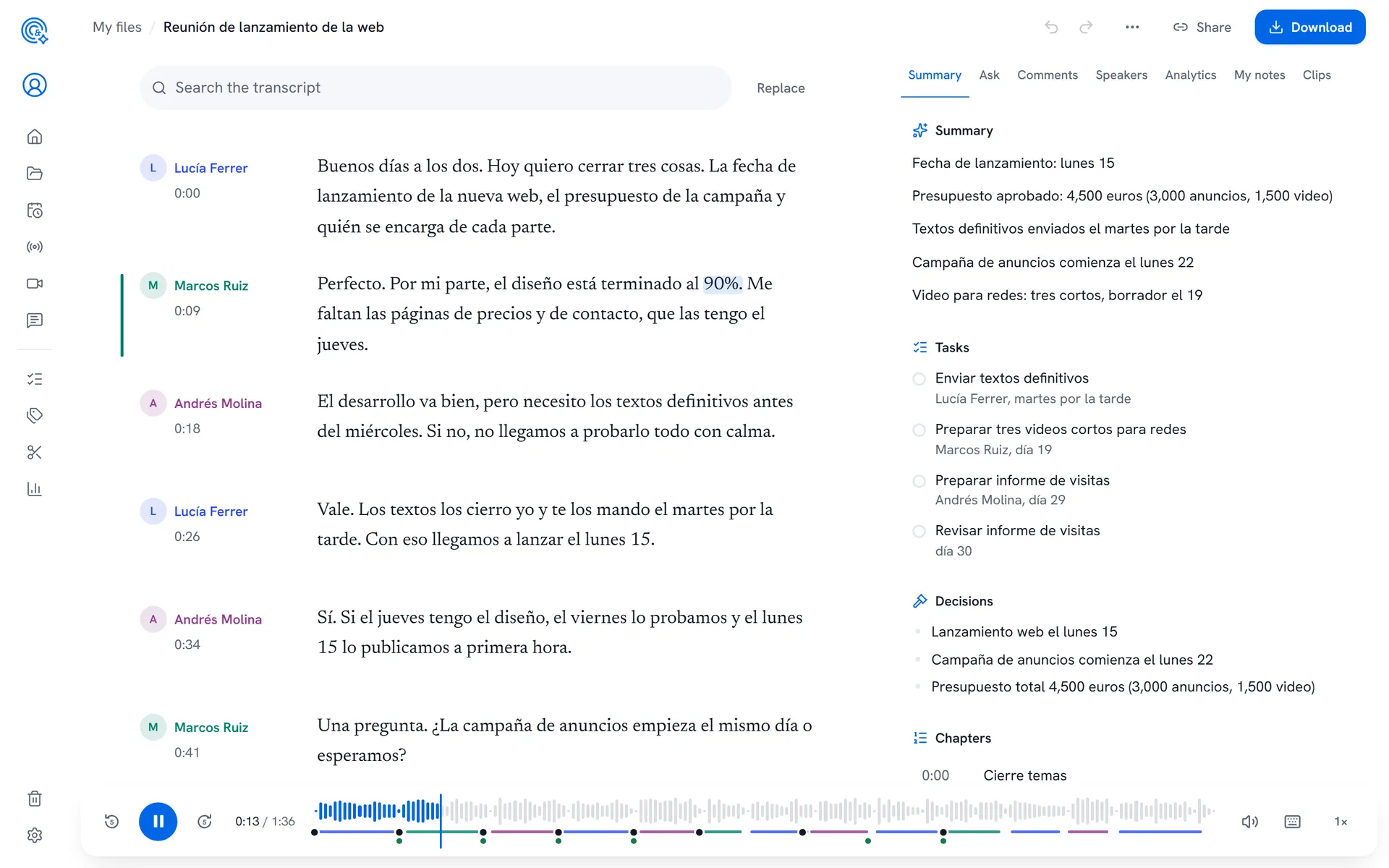
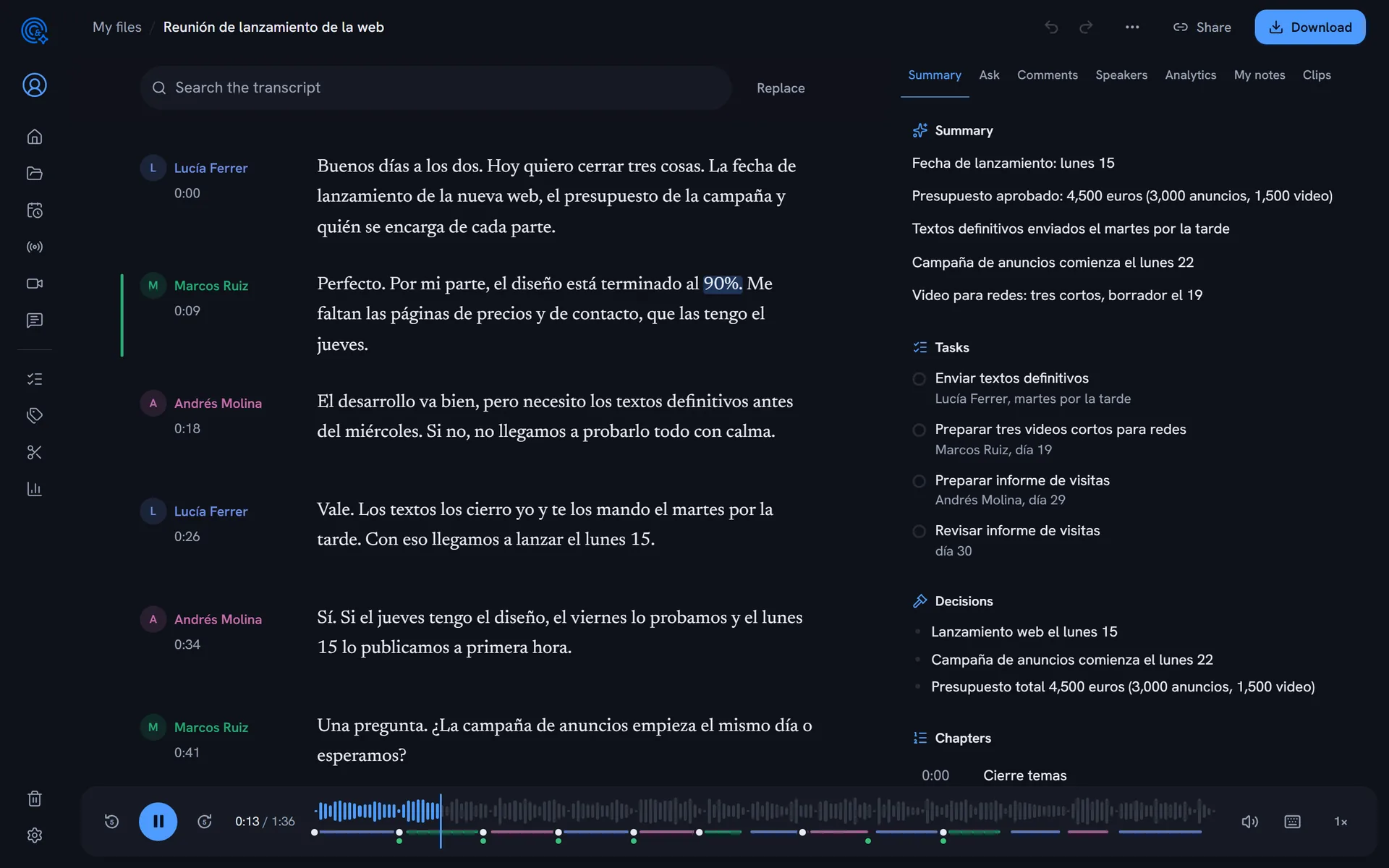
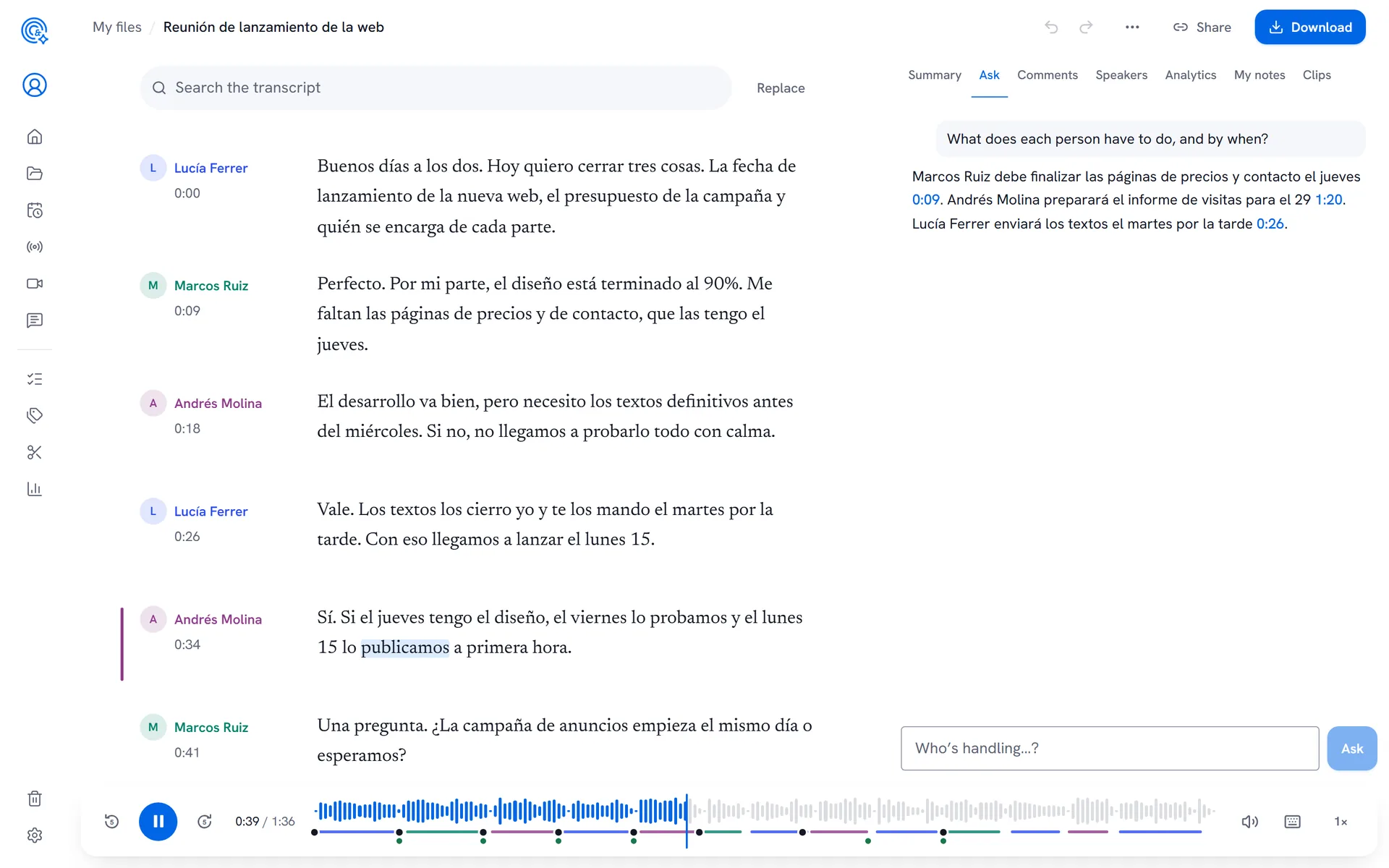
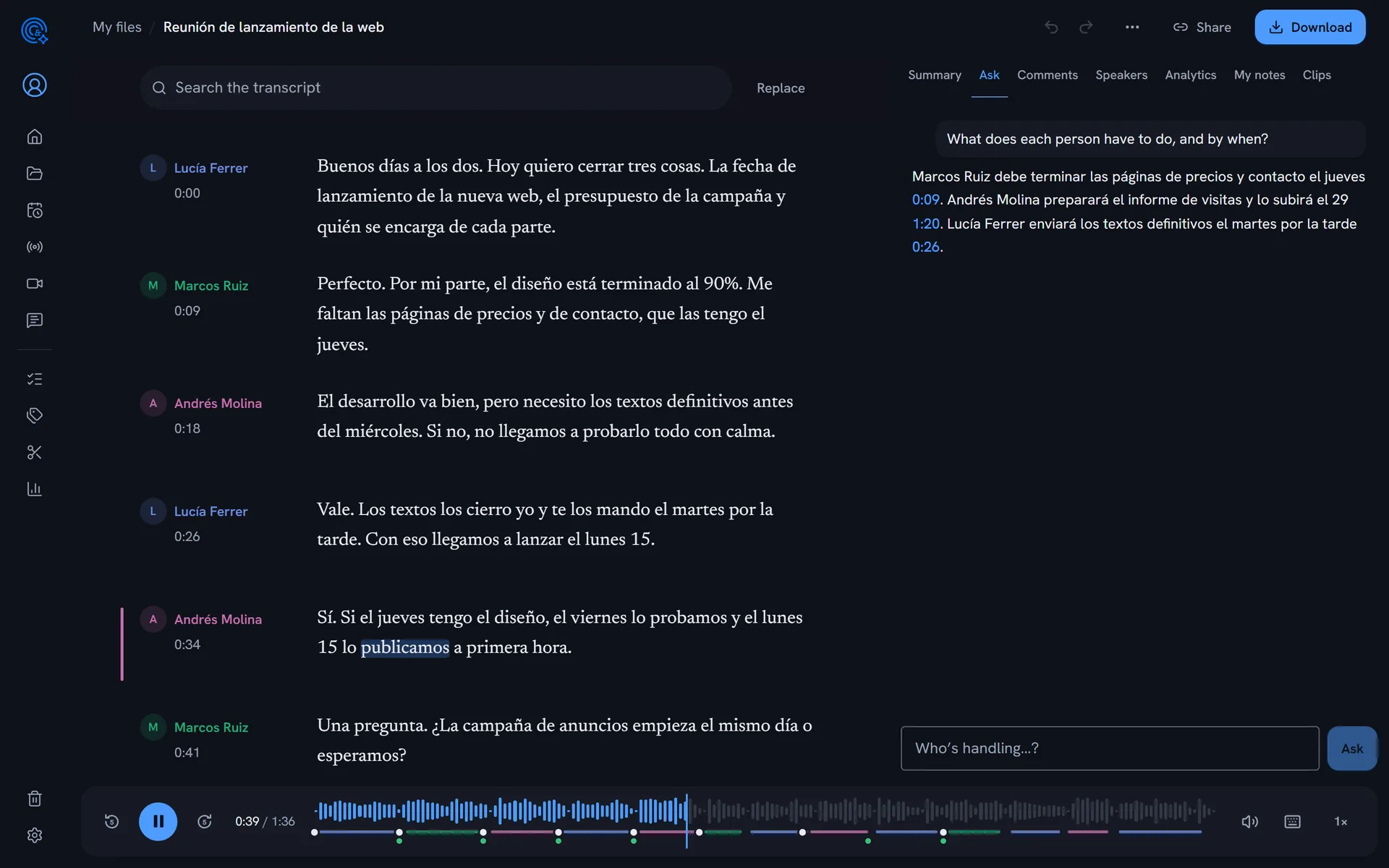
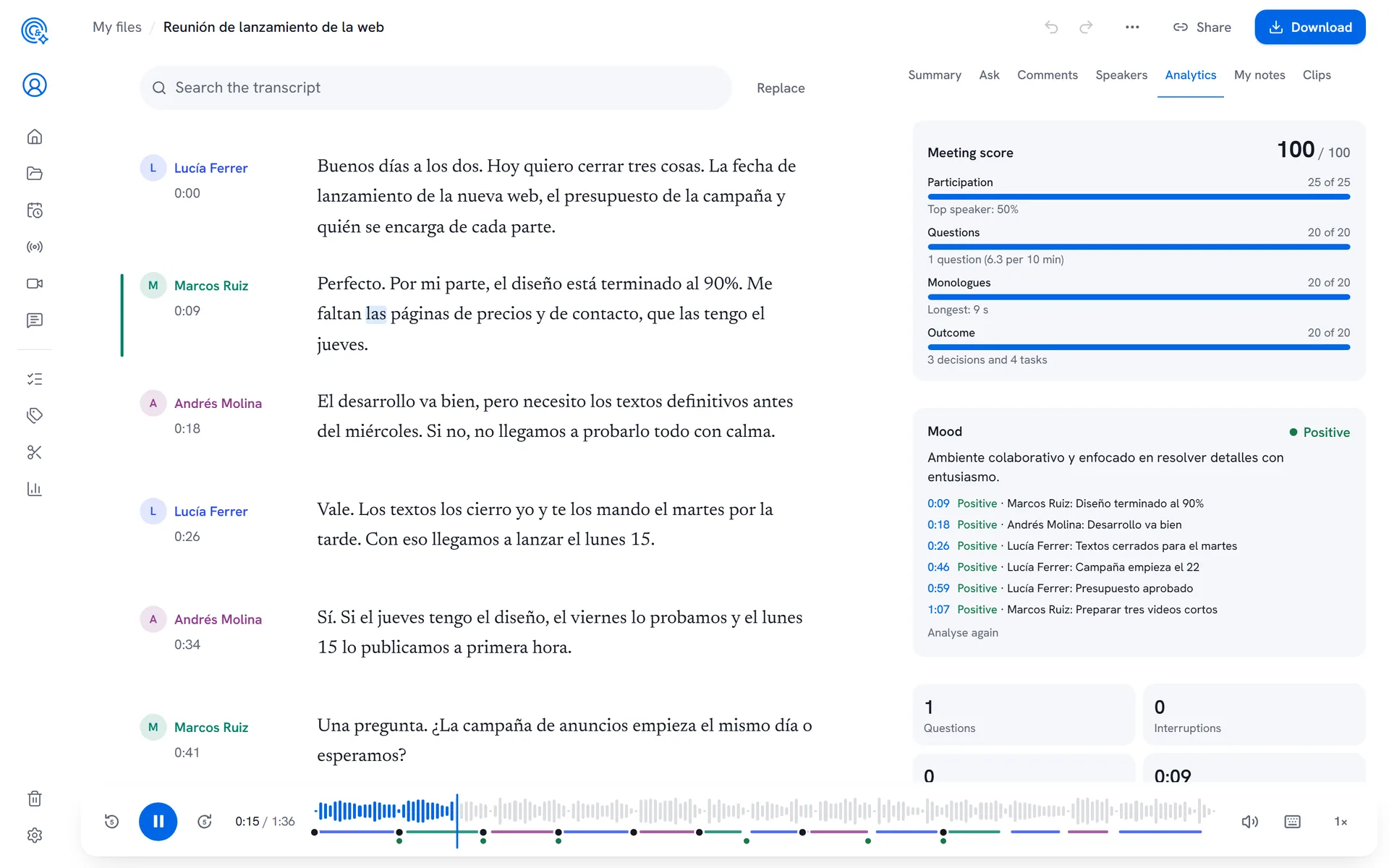
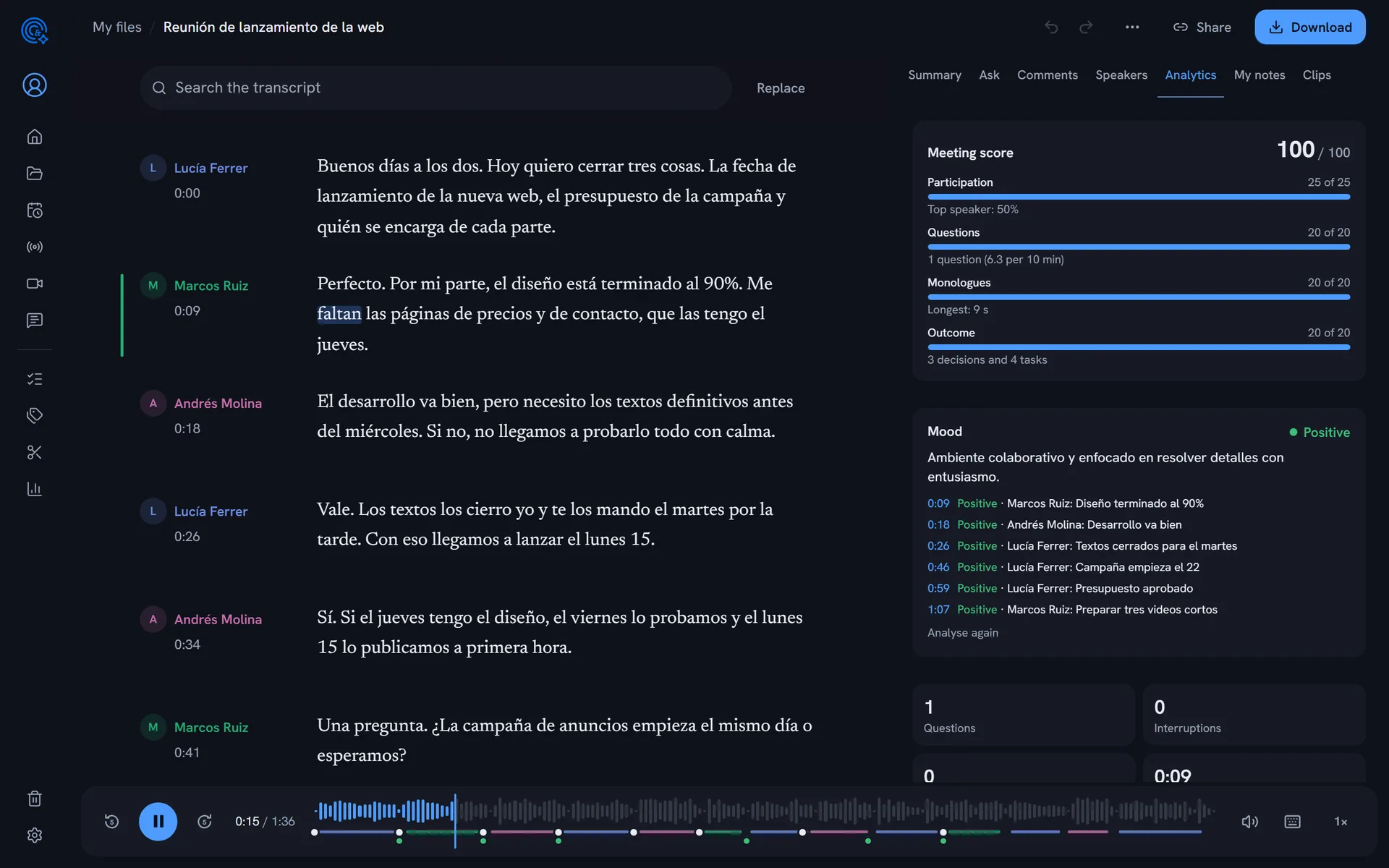
Real screenshots of Echo with a sample three-person meeting (in Spanish): Echo transcribed it, split it by speaker, summarised and analysed it.
Open the sample meetingBuilt for Spanish
Echo transcribes and summarises on our own servers in the European Union, with a model measured in Spanish.
- 97.4%of words right in SpanishMeasured on the public FLEURS dataset (November 2026).
- EUdata and AI on our own serversYour meetings are never sent to third-party AI services.
- 0models trained on your meetingsNeither Echo’s AI nor anyone else’s learns from what you upload.
- 11connected apps, from Teams to JiraCalendar, video calls, messaging, CRM and task managers.
Before, during and after every meeting
Before
Arrive prepared. Fifteen minutes before, what was said last time and what’s still open.
- A pre-meeting brief by email or Slack
- Previous meetings in the same series
- Open tasks with the same people
During
Listen, don’t type. The assistant joins Teams, announces it’s recording and writes down what’s said.
- Joins on its own from your calendar
- Ask it what’s been decided so far
- Your notes, completed with what was said
After
Make sure it happens. The minutes, tasks with owners and the follow-up email, ready when it ends.
- A follow-up email for attendees
- Tasks on a shared board, with reminders
- Sent to Slack, Notion, HubSpot or Jira
Everything that happens in your meetings
Joins your meetings
An assistant joins your Teams meetings from your calendar and records them. You can also upload recordings, record your screen or transcribe live.
Learn moreA transcript you can edit
Every person by name, every word with its time. Fix the text while you listen and download it as Word, PDF or subtitles.
Learn moreMinutes, decisions and tasks
When it ends, what matters: what was decided, what’s left to do, who owns it and by when. Tasks are followed up from one meeting to the next.
Learn moreAsk across all your meetings
“What did we promise Acme about pricing?” Echo answers with what was said, citing the meeting and the minute.
Learn moreClips to share
The best moments as video, with captions and your brand, ready to send to whoever missed it or to post.
Learn moreHow your meetings really go
Who talks and how much, questions, monologues and a score for every meeting, to improve week after week.
Learn more
For people whose work is what gets said
Minutes that write themselves and tasks that don’t get lost
Every committee, one-to-one and team meeting, with its minutes and its tasks on a shared board.
Echo for teams and management- Tasks with owner and due date, with reminders
- Follow-ups when a task comes up again
- A weekly digest of decisions every Monday
From the meeting to the minutes, the clip and the subtitles
Some tools take meeting notes; others transcribe and subtitle. Echo does both from the same recording, with no exporting and no paying twice.
- 1
Record
Teams, Chrome, live or by uploading the file
- 2
Transcribe
Every person by name and every word with its time
- 3
Summarise
Minutes, decisions, tasks and the follow-up email
- 4
Share
Clips with captions, links and highlight reels
- 5
Publish
Subtitles in several languages, video and dubbing
Connected to what you already use
Echo joins your meetings from your calendar and leaves the summary and tasks where your team works.
See all integrations


Enterprise security from day one
Your company in control
SSO, roles, restricted folders, policies, an activity log and automatic deletion.
GDPR
A published data processing agreement, personal data redacted on request and deletion whenever you want.
Protected links
Share a meeting with a password, an expiry date and no download, and revoke the link at any time.
Daily backups
A verified backup every day, and a 30-day trash in case you delete something by mistake.
Echo compared with other tools
What changes in what people ask most: where your data lives, which AI processes it, subtitles and which meetings the assistant joins. Including where the others go further.
| Echo | Otter.ai | Fireflies.ai | Happy Scribe | |
|---|---|---|---|---|
| Where your data is stored | Edorteam’s own servers in the EU (a Spanish company) | AWS S3, according to their website; region not stated | Region not stated on their website; private storage on Enterprise | EU data centre, on AWS and Heroku, according to their website |
| Which AI processes your meetings | Our own AI on those servers; never trained on your data | Trains its models on de-identified data, according to their website | Providers not named; says it doesn’t train on customer data | See their website |
| Subtitles, translation and dubbing | Subtitle editor, translated tracks and dubbing | SRT export on paid plans; see their website | See their website | Subtitles, translation into 80+ languages and human services |
| Meetings the assistant joins | Joins Teams only; Meet and Zoom via the Chrome extension | Zoom, Microsoft Teams and Google Meet | Zoom, Google Meet, Microsoft Teams and other platforms | Zoom, Google Meet and Microsoft Teams |
Details of the other tools taken from their websites on 9 November 2026. Sources and full comparison
Start for free
Move to Pro or Team when you need it and cancel any time. Prices exclude VAT; below, with VAT.
Free
0 €
3 h a month to try everything
Start for freeProWith the meeting assistant
12 €
14,52 € with Spanish VAT (21%)
a month billed yearly, 30 h a month
See ProTeam
20 €
24,20 € with Spanish VAT (21%)
per person a month billed yearly, 50 h per person
See Team
Frequently asked questions
Got another question? Write to us and a person from the team will reply, not a bot.
Write to usWhere are my recordings stored?
In the European Union, on Edorteam’s servers. Transcription and AI run on those same servers: your recordings are not sent to other companies for processing and are never used to train models.
Is it legal to record a meeting? How are people told?
Attendees must be informed. Echo’s assistant joins with a name that says it’s recording, announces it in the chat when it joins and, if you like, shows “This meeting is being recorded” on its camera. You can change the message, but not remove it.
Do you sign a data processing agreement (DPA)?
Yes. For companies, Edorteam is the processor of what’s in the recordings. The agreement (GDPR Article 28) is published on the website, in Spanish, and is accepted when you use Echo; it includes the list of subprocessors.
How does Echo join my meetings?
In Microsoft Teams, an assistant joins the meeting from your calendar or by pasting the link. For browser meetings such as Google Meet or Zoom, there’s the Chrome extension. And you can always upload the recording.
Which languages does it support?
Echo is built first for Spanish and also transcribes English, Catalan, Galician, Basque, Portuguese, French and more. It detects the language on its own, and you can add your industry’s words so it spells them right. The app is available in English and Spanish.
Does it tell people apart?
Yes. It separates who is speaking and often fills in names on its own when someone introduces themselves or is addressed by name. You can fix it in a moment and the summary updates.
Can I delete my data?
Whenever you like. Deleted items stay in the bin for 30 days and then disappear. You can set automatic deletion, redact personal data, download all your data or delete your account from Settings.
How much does it cost?
You can start for free, no card needed. Pro and Team are billed monthly or yearly and you can cancel any time. Prices are shown without VAT and, below, with Spanish VAT.
Your next meeting, already summarised.
Create your account in a minute or ask us for a demo for your team.
